



 Roll over image to zoom in
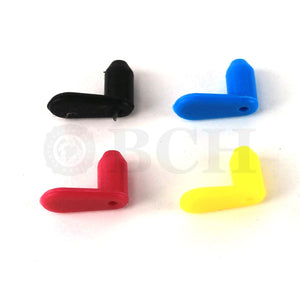
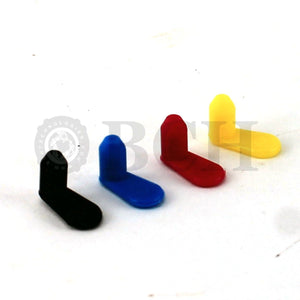
Priming Clip Tool Kit for Unclogging Canon PG-210 CL-211 PG-243 CL-244 PG-245 CL-246 PG-275 CL-276 (XL, Regular, and Starter) Ink Cartridges (AS-PMCLIP-S-CN)
Most inkjet printer refill problems are in three categories: air lock, clogged nozzles, or overfill. The BCH priming kit fixes these problems if your printer produces a blank page or...
$7.99
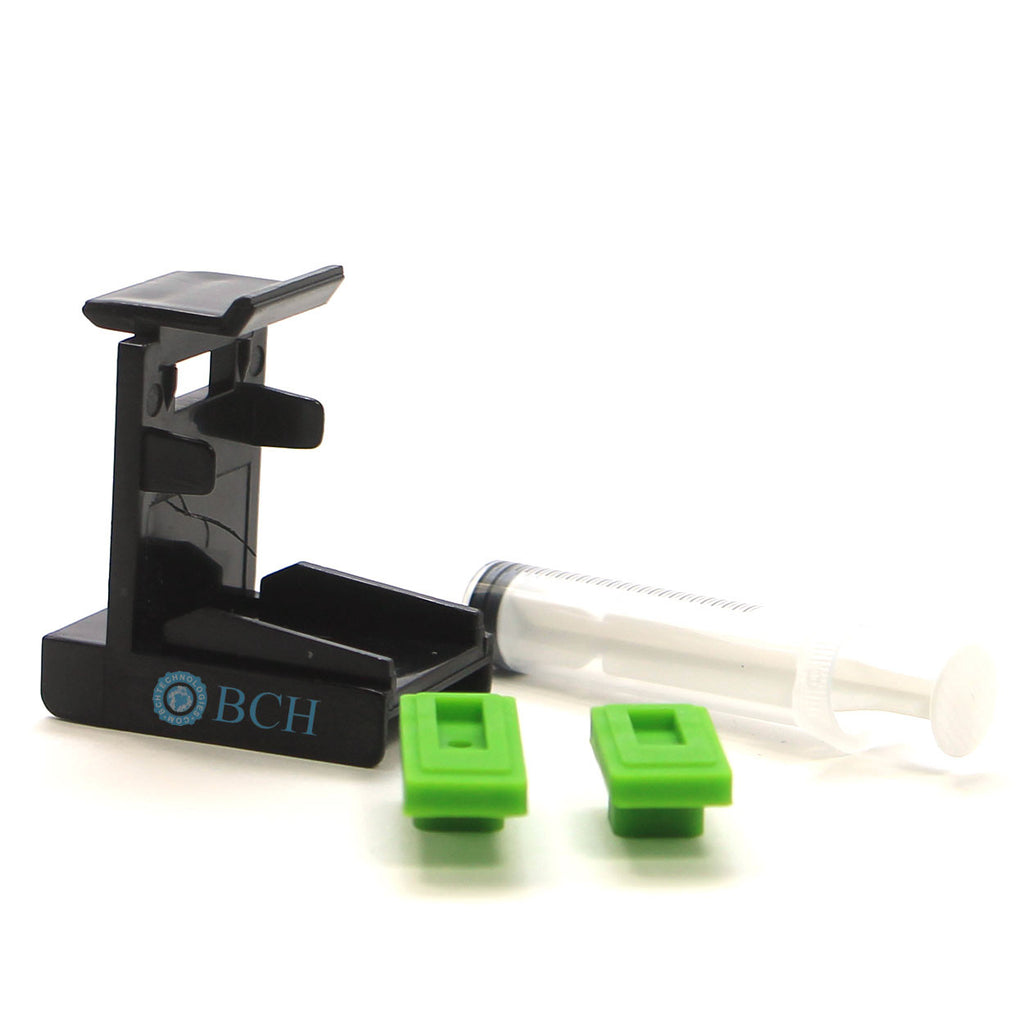
- Most inkjet printer refill problems are in three categories: air lock, clogged nozzles, or overfill. The BCH priming kit fixes these problems if your printer produces a blank page or has stripes after a refill.
- SIMPLE, QUICK AND CONVENIENT. The tool kit can draw vacuum from the bottom of the cartridge and thus fix all three problems. The tool kit fits the cartridge tightly and you need to align the cartridge in the center, push down and push forward. Instructions below.
- REMOVE AIR LOCKS. After a refill, air bubbles may temporarily block the printhead nozzles. To get rid of them, you may sit the cartridge for few hours and do some head-cleaning. Or, you can use this tool kit to remove the air immediately.
- UNCLOG PRINTHEAD. When the old ink dried and condensed inside printhead, you can use this clip to draw the old gummy substance out and revive the printhead. CORRECT OVERFILL. If you overfilled the cartridge, you can use this tool to remove excessive ink.
- THIS IS THE CORRECT CLIP & NOT TOO SMALL. If the clips aren't tight, they aren't right. You may need to adjust the pad a little to create a good vacuum. The kit works for all printers that use PG-210 CL-211 PG-243 CL-244 PG-245 CL-246 cartridges, such as MX490, TS3300, MG3620, MG2522, MG3600, TS3122. Read below for more tips.
Canon sales these cartridges with different prefix across sales regions. These are the same as other countries 3*,4*,5*, 6*,7*,8*, and 9* models, such as
- PG-145 CL-146 (Central & South America)
- PG-245 CL-246 (North America)
- PG-345 CL-346 (Japan)
- PG-445 CL-446 (Russia)
- PG-545 CL-546 (Europe)
- PG-645 CL-646 (Asia Oceania)
- PG-745 CL-746 (Southeast Asia)
- PG-845 CL-846 (China)
- PG-945 CL-946 (Korean)
Package includes
1 x Short Clip for Canon
1 x Short Silicone Pad
1 x Long Silicone Pad
1 x 10 ml Syringe
Instruction
1. Take a look at the bottom of the cartridge and decide if you have long printhead slot or a short one. (Long one for black and Short for color)
2. Put a right silicone pad on the clip
3. Put the printhead on top of silicone pad and push the cartridge in until you hear a click.
4. Use syringe, draw 1-2 ml of ink from the bottom.
5. Remove the cartridge and install it in the printer. Repeat if necessary.
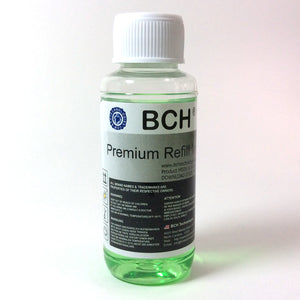
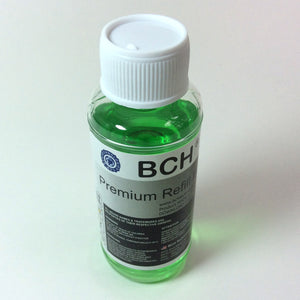
Tips: for older dried cartridges, you can fill a bowl with 1/2 inch of distilled water, heat the water with microwave until boiling, and put the cartridge in the hot water until it cools to room temperature, and then do the priming. For stubborn clogs, we recommend BCH cleaning solutions.
Related products


Add your product to the cart to view shipping rates. We've delivered to 289,762 customers in 149 countries.

 Weekly Promotion
Sign up for our newsletter to get weekly coupons and tips on printer refills and repairs.


Got a question? Don't hesitate to email us at support@bchtechnologies.com


Subscribe to Kevin's YouTube channel for the latest tips on printer repair and maintenance.
Recently viewed




I ordered 2 sets of this 3ft tubing. I struggled with several companies websites trying to find this size tubing in a longer size. Finally i settled and ordered this - even though 3ft would be too short and I'd need to meld some of the second set to the first set to make it long enough. Item got here quick, i opened the box and bam! They sent me 6 ft. Because i ordered 2 sets of 3ft. Common sense like this doesn't exist anymore. I was expecting to need to improvise and they fixed a problem they didn't even know i had simply by doing what makes sense! Wonderful!! Cannot say how grateful i am. Give a raise to the person who was in charge of this order. It also fits perfectly in the other dimensions and should be exactly what i need for my printer.
Shawn V.
[C2] 3FT 1.4MM ID 6-Strand Non-Solvent Tube for Desktop CIS Tubing
VERY VERY SUPER PRODUCT. I purchased this product from Kevin and I can always say that Kevin is the best. Kevin definitely creates the best videos on the web. He has the best products and I always buy from him. Kevin also always recommends the best methods. I always recommend buying BCH TECHNOLOGIES products to always have perfect printers.
Alessandro R.
Instruction Sheet for L1800 / 1390 Printhead Testing with Multimeter (Digital Download) Instant Download — Delivered to Your Email
Best thing ever!! i used to put cleaning solution in the capping station with a syringe/hose then had to suck out f the wast line with a syringe.... over and over until the capping station was clean. maybe up to 10 times. now i just use maybe 1 or 2 - 30ml syringes full of water and the pump cleans it out so good.... then I put capping solution, place printhead over capping station and turn on the back of the machine. thats it. when i print again, usually next day, I pull from waste tank a few times until I get ink, then i run 1 head cleaning , print a test strip and usually good to go. I sometimes print a 2nd test strip. SO MUCH easier to use this little pump. so glad I bought it.
Ruth F.
TMS Printhead Maintenance System by BCH: Comprehensive Cleaning and Maintenance Solution