


 Roll over image to zoom in
WorkFlow Sheet for Epson Power Supply EPS-135 CA86PSB - Artisan 1430
Workflow sheet for Epson's Power Supply EPS-135. Used in Epson Artisan 1430 Schematic drawings for EPS-C589PSB and EPS-C589PSE (JPEG) These are original Epson drawings which the "hot" side is identical...
$3.99
SKU:
WorkFlow-EP-Power-EPS135
Categories:
Tags:
Workflow sheet for Epson's Power Supply EPS-135. Used in Epson Artisan 1430
- Schematic drawings for EPS-C589PSB and EPS-C589PSE (JPEG)
- These are original Epson drawings which the "hot" side is identical to EPS-135.
- The cold side will have more voltage outlets, so you can ignore the components that are not on the diagram

- Reference picture of schematic to PCB locations (JPEG)
- We draw arrows between the schematic graph and the actual component on the PCB board
- Help to quickly find the component and conduct testing

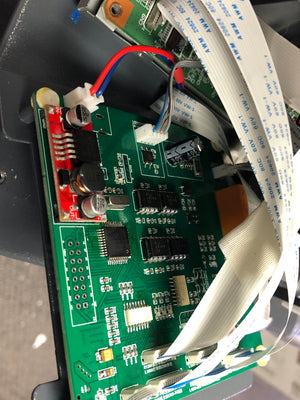
- Detailed photo of PCB board (JPEG)
- The front of PCB board
- The back of PCB board (reversed)
- You can put two pictures on top of each other. They are matched with the same size.
- Help you to re-engering the unit with software like KiCad

- List of Components (PDF)
- List of all components
- Marked with Reference (C1), Category (Capacitor), Name (LEE 224), and Specs (0.22 uF, 310V)
- The specs are minimum specs. You can upgrade them with better ones.

Instructions
Related products






Add your product to the cart to view shipping rates. We've delivered to 289,762 customers in 149 countries.

 Weekly Promotion
Sign up for our newsletter to get weekly coupons and tips on printer refills and repairs.


Got a question? Don't hesitate to email us at support@bchtechnologies.com


Subscribe to Kevin's YouTube channel for the latest tips on printer repair and maintenance.
Recently viewed



VERY VERY SUPER PRODUCT. I purchased this product from Kevin and I can always say that Kevin is the best. Kevin definitely creates the best videos on the web. He has the best products and I always buy from him. Kevin also always recommends the best methods. I always recommend buying BCH TECHNOLOGIES products to always have perfect printers.
Alessandro Rivolta
Instruction Sheet for L1800 / 1390 Printhead Testing with Multimeter (Digital Download) Instant Download — Delivered to Your Email
Best thing ever!! i used to put cleaning solution in the capping station with a syringe/hose then had to suck out f the wast line with a syringe.... over and over until the capping station was clean. maybe up to 10 times. now i just use maybe 1 or 2 - 30ml syringes full of water and the pump cleans it out so good.... then I put capping solution, place printhead over capping station and turn on the back of the machine. thats it. when i print again, usually next day, I pull from waste tank a few times until I get ink, then i run 1 head cleaning , print a test strip and usually good to go. I sometimes print a 2nd test strip. SO MUCH easier to use this little pump. so glad I bought it.
RUTH FIGUEROA
TMS Printhead Maintenance System by BCH: Comprehensive Cleaning and Maintenance Solution
This is a must have modification to save time troubleshooting. You will need to download Kevin's capping station video to disassemble the capping station. A definite must. You will also need a few other connections to hook this up. All parts are linked in his videos. Pro tip. Have patience and go slow. This modification will save you from a lot of headaches . I did this mod on Procolored L1800 about a year old . Thanks Kevin.
Vincent Kretlow
Waste Ink Collection Tank Combo with Small Tube for Epson (AS-EP-WASTE-25MM)