

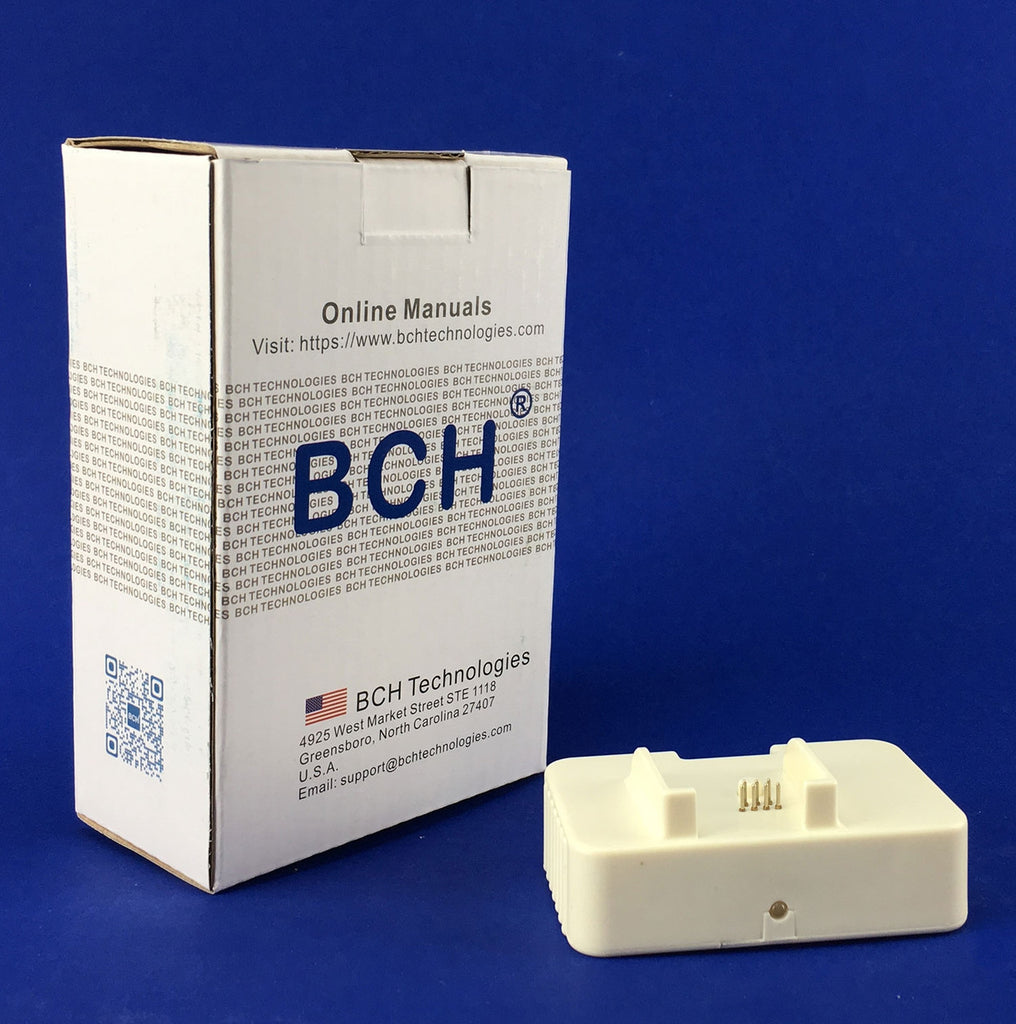


 Roll over image to zoom in
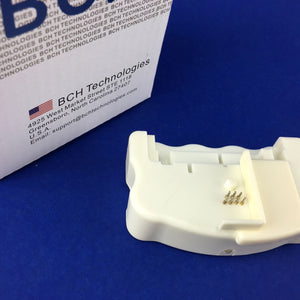
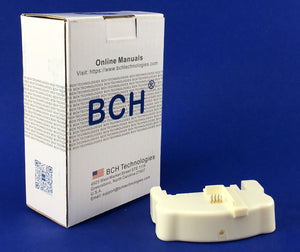
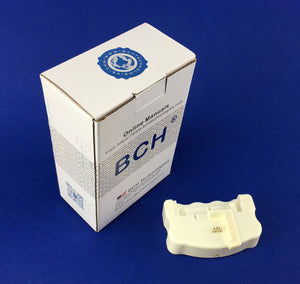
Chip Resetter for Epson Cartridges T6xx Series: IC90, T676, T677, T701(AS-RESET-EP6)
Works with T6xx SeriesThis resetter does NOT work with: Starter cartridges: The first set of cartridges which comes with a new printer Third-Party ARC chips Cartridges with very low ink. If a cartridge...
$45.99
Works with T6xx Series
This resetter does NOT work with:
- Starter cartridges: The first set of cartridges which comes with a new printer
- Third-Party ARC chips
- Cartridges with very low ink.
- If a cartridge has an X sign on the LCD screen, it is passed the reset point.
- If a cartridge has a triangle sign, it is 10-15%. The chance of reset is low.
- Even if it doesn't have an X or triangle sign, some cartridge still won't be able to reset if the ink level is too low.
The resetter works with:
- OEM cartridges with plenty of ink
- Third-party one-time-use cartridges with plenty of ink
An Epson cartridge has a memory chip that records the number of printed pages. The printer uses the page count estimating the ink level. Therefore, a refilled cartridge won't show a correct ink level because the chip remembers the old page-count When a cartridge prints too many pages, the printer will refuse to print, no matter how much ink is left.
This chip resetter resets the page number to zero, so we can use a refilled cartridge.
When a printer shows low ink, we will take out the cartridge and add more ink. Then, we will put it on the resetter and press the cartridge down for a few seconds. A green LED light will indicate that the page number has been reset.
We need to reset (and refill) a cartridge when it has at least 15% of its ink left.
The resetter works on Epson original cartridges and most of the third party compatible cartridges. Because we can't test all the cartridges from the third party manufacturers, we only say the resetter works with all of the tested ones.
The resetter only works with these cartridge models:
IC90, T676, T677, T701.
IC90
- PX-B700
- PX- B750F
T676
T676XL120 T676XL220 T676XL30 T676XL420
Epson WorkForce Pro
- WP-4023
- WP-4090
- WP-4010
- WP-4020
- WP-4023
- WP-4520
- WP-4530
- WP-4533
- WP-4540
- WP-4590
T677
T6771 T6772 T6773 T6774
Epson WorkForce Pro
- WP-4092
- WP-4592
- WP-4022
T701
T7011, T7012, T7013 and T7014 XXL
Epson Workforce Pro
- WP-4000
- WP-4015DN
- WP-4025DW
- WP-4095DN
- WP-4500
- WP-4515DN
- WP-4525DNF
- WP-4535DWF
- WP-4545DTWF
- WP-4595DNF
Related products


Add your product to the cart to view shipping rates. We've delivered to 289,762 customers in 149 countries.

 Weekly Promotion
Sign up for our newsletter to get weekly coupons and tips on printer refills and repairs.


Got a question? Don't hesitate to email us at support@bchtechnologies.com


Subscribe to Kevin's YouTube channel for the latest tips on printer repair and maintenance.
Recently viewed





Best thing ever!! i used to put cleaning solution in the capping station with a syringe/hose then had to suck out f the wast line with a syringe.... over and over until the capping station was clean. maybe up to 10 times. now i just use maybe 1 or 2 - 30ml syringes full of water and the pump cleans it out so good.... then I put capping solution, place printhead over capping station and turn on the back of the machine. thats it. when i print again, usually next day, I pull from waste tank a few times until I get ink, then i run 1 head cleaning , print a test strip and usually good to go. I sometimes print a 2nd test strip. SO MUCH easier to use this little pump. so glad I bought it.
RUTH FIGUEROA
TMS Printhead Maintenance System by BCH: Comprehensive Cleaning and Maintenance Solution
This is a must have modification to save time troubleshooting. You will need to download Kevin's capping station video to disassemble the capping station. A definite must. You will also need a few other connections to hook this up. All parts are linked in his videos. Pro tip. Have patience and go slow. This modification will save you from a lot of headaches . I did this mod on Procolored L1800 about a year old . Thanks Kevin.
Vincent Kretlow
Waste Ink Collection Tank Combo with Small Tube for Epson (AS-EP-WASTE-25MM)
I purchased this product and messed it up first time. I somehow got superglue onto the main circuit board on the colour cartridge and for some reason (not sure how) I messed up the black one too. I repurchased the product (x2). I tried again with the colour one first (which is meant to be the most difficult). I was careful to wrap the circuit board and print head in cling film and taped it down on top. I was careful with the superglue and let it dry upside down for 24 hours so that if the glue leaked anywhere it wouldn't go towards the circuit board. It works great. I now have a functioning refillable colour cartridge. I am glad I got the hardest one out of the way first. I will shortly try the black one. But fantastic that overall, I know this product will save me a fortune in printing now. The colour one is obviously the hardest and it works! Good job guys. (I am from the UK which is why we spell colour with a u lol).
Daniel Cunningham
Modification Kit for Making Spongeless Cartridge with Canon PG-210 CL-211 PG-240 CL-241 PG-245 CL-246 PG-243 CL-244 PG-260 CL-261 PG-275 CL-276