


 Roll over image to zoom in
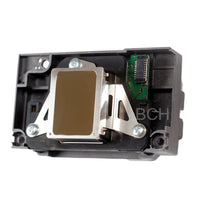
Educational Analysis of Epson FA04000 Inkjet Printhead PCB - Digital Download
Educational Analysis of Epson FA04000-Series Inkjet Printhead PCB is a specialized digital training and reference package designed for advanced technicians, engineers, and researchers seeking a deeper understanding of Epson’s consumer...
$15.99
Educational Analysis of Epson FA04000-Series Inkjet Printhead PCB is a specialized digital training and reference package designed for advanced technicians, engineers, and researchers seeking a deeper understanding of Epson’s consumer inkjet printhead electronics at the PCB level.
This educational analysis focuses on the FA04000 printhead series, including commonly encountered variants such as FA04010 and FA04061. These printheads share a closely related PCB architecture and are widely deployed across Epson’s entry-level EcoTank (ET), L-series, and Expression Home (XP) platforms.
This product is intended strictly for educational reverse-engineering, diagnostics training, and architectural study. It does not provide instructions for manufacturing, cloning, or reproducing proprietary printhead assemblies.
Scope of the Analysis
This package documents and explains the electrical and physical PCB architecture observed in FA04000-series printheads, with emphasis on understanding how Epson organizes high-density piezoelectric drive signals and reference paths within a compact printhead assembly.
Topics covered include:
-
FA04000-series printhead PCB architecture and signal grouping
-
Power distribution and reference rail organization
-
Crystal assembly placement, orientation, and observed electrical behavior
-
FFC connector pin mapping by functional category
-
Identification and labeling of test points and surface-mount components
-
Visual comparison of PCB layers with solder mask present and removed
All content is presented in a non-functional, non-firmware-based format suitable for research and training.
What’s Included
✔ KiCad Schematic & Symbols
-
Fully annotated KiCad schematic representing FA04000-series PCB architecture
-
Custom educational symbol for the Epson piezo crystal assembly
-
Custom educational symbol for the FFC connector
-
Clearly labeled signal groups, power rails, and reference points
✔ High-Resolution Photoshop Files
-
Top and bottom PCB imagery
-
Solder mask ON and OFF layers
-
Separate crystal layers (top and bottom)
-
Text layers identifying FFC connections
-
Text layers identifying test points
-
Text layers identifying SMD components
These layered PSD files allow users to isolate individual PCB features and study signal routing in a way not possible with static images.
✔ Supporting Documentation
-
Layer navigation guides
-
Notes explaining observed electrical relationships
-
Educational context for interpreting schematic and visual materials
FA04000-Series Platform Coverage (Educational Reference)
FA04000-series printheads—including FA04010 and FA04061—are commonly associated with a wide range of Epson consumer inkjet platforms. The following list is provided for educational context only to illustrate the prevalence of this architecture.
EcoTank (ET) Series
ET-2500, ET-2550, ET-2650
ET-2750, ET-2760
ET-2800, ET-2803, ET-2811, ET-2820, ET-2825, ET-2850
Epson L-Series
L110, L120, L130, L132
L210, L220, L222, L211
L300, L301, L303, L310, L3110, L3150, L3156, L3210, L3250
L350, L351, L355, L358, L360, L362, L365, L366, L380, L381, L385
L405, L4150, L4160, L4260, L455, L456, L485
L510, L5190, L550, L555, L565, L566
Expression Home (XP) Series
XP-302, XP-303, XP-305, XP-306
XP-312, XP-313, XP-315
XP-322, XP-323, XP-332
XP-402, XP-405, XP-406
XP-412, XP-413, XP-415
XP-420, XP-423, XP-430, XP-432, XP-440, XP-4100, XP-4200
Who This Is For
This product is intended for:
-
Advanced printer repair technicians
-
Electronics engineers and students
-
Researchers studying inkjet and piezoelectric systems
-
Diagnostic labs and training environments
A solid understanding of electronics and PCB design is assumed. This is not a beginner-level guide.
What This Product Is NOT
To avoid misunderstanding, this product does not include:
-
Firmware, ROM data, or executable logic
-
Firing waveforms or timing algorithms
-
Instructions for manufacturing or reproducing printheads
-
Instructions for bypassing protections or DRM
-
Replacement or compatible hardware
Important Notice
This material is provided for educational and research purposes only.
It does not enable functional replication of proprietary hardware and must not be used for commercial manufacturing or cloning of printhead assemblies.
Related products




Add your product to the cart to view shipping rates. We've delivered to 289,762 customers in 149 countries.

 Weekly Promotion
Sign up for our newsletter to get weekly coupons and tips on printer refills and repairs.


Got a question? Don't hesitate to email us at support@bchtechnologies.com


Subscribe to Kevin's YouTube channel for the latest tips on printer repair and maintenance.
Recently viewed



VERY VERY SUPER PRODUCT. I purchased this product from Kevin and I can always say that Kevin is the best. Kevin definitely creates the best videos on the web. He has the best products and I always buy from him. Kevin also always recommends the best methods. I always recommend buying BCH TECHNOLOGIES products to always have perfect printers.
Alessandro R.
Instruction Sheet for L1800 / 1390 Printhead Testing with Multimeter (Digital Download) Instant Download — Delivered to Your Email
Best thing ever!! i used to put cleaning solution in the capping station with a syringe/hose then had to suck out f the wast line with a syringe.... over and over until the capping station was clean. maybe up to 10 times. now i just use maybe 1 or 2 - 30ml syringes full of water and the pump cleans it out so good.... then I put capping solution, place printhead over capping station and turn on the back of the machine. thats it. when i print again, usually next day, I pull from waste tank a few times until I get ink, then i run 1 head cleaning , print a test strip and usually good to go. I sometimes print a 2nd test strip. SO MUCH easier to use this little pump. so glad I bought it.
Ruth F.
TMS Printhead Maintenance System by BCH: Comprehensive Cleaning and Maintenance Solution
This is a must have modification to save time troubleshooting. You will need to download Kevin's capping station video to disassemble the capping station. A definite must. You will also need a few other connections to hook this up. All parts are linked in his videos. Pro tip. Have patience and go slow. This modification will save you from a lot of headaches . I did this mod on Procolored L1800 about a year old . Thanks Kevin.
Vincent K.
Waste Ink Collection Tank Combo with Small Tube for Epson (AS-EP-WASTE-25MM)